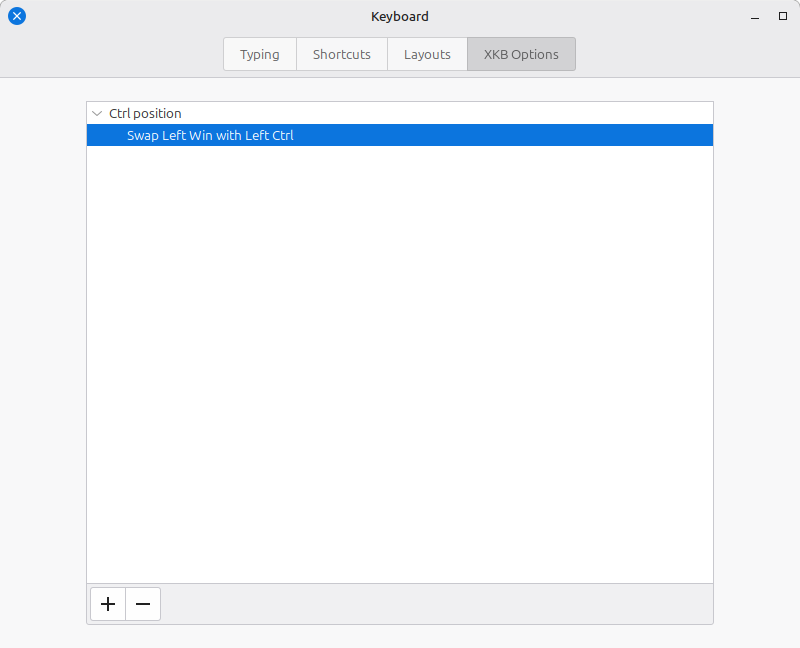
It’s been a decade since I touched Linux, so here I come with Mint flavor! My fingers are in pain because they only know the Mac keyboard layout. I keep trying to copy, paste, and do everything using the Super button, so I need to change this layout ASAP.
Future Me, Read This If Your Fingers Hurt Again!
For Newer Linux Mint Versions (Mint 22.3+)
- Open the Mint Menu and click System Settings.
- Click on Keyboard (located in the Hardware section).
- Click the XKB Options tab at the top.
- Click the + (plus) button at the bottom of the window.
- Expand the Ctrl position section, check Swap Left Win with Left Ctrl, and click Add.