Categories
blog game officialstupid toy box

Toy box – wasted time.

backup video – https://www.youtube.com/watch?v=l1W-58vCqSU

Build and drop. Animated CSS objects and .glb.

I would love to use .glb in the future. Currently, it needs huge optimization and seems to take an endless amount of time.

Problem: both kill smooth gameplay β€” almost 20 FPS. I feel ashamed to share the .glb, even though it was beautiful.

Animate

what’s new.

  • Logged-in users can create their own presets, save them, and share them publicly.
  • First map shared publicly πŸ˜„ β€” posted randomly on Reddit:
  • https://toy.dharan.city/toybox_game/duck-climb/ Anyone can play.
  • Logged-out users can also create and play using local storage.
  • tiny touch support game play for mobile but really really bad.

email me at rawi.rai@com or reddit me for sign up.

working on – touch devices
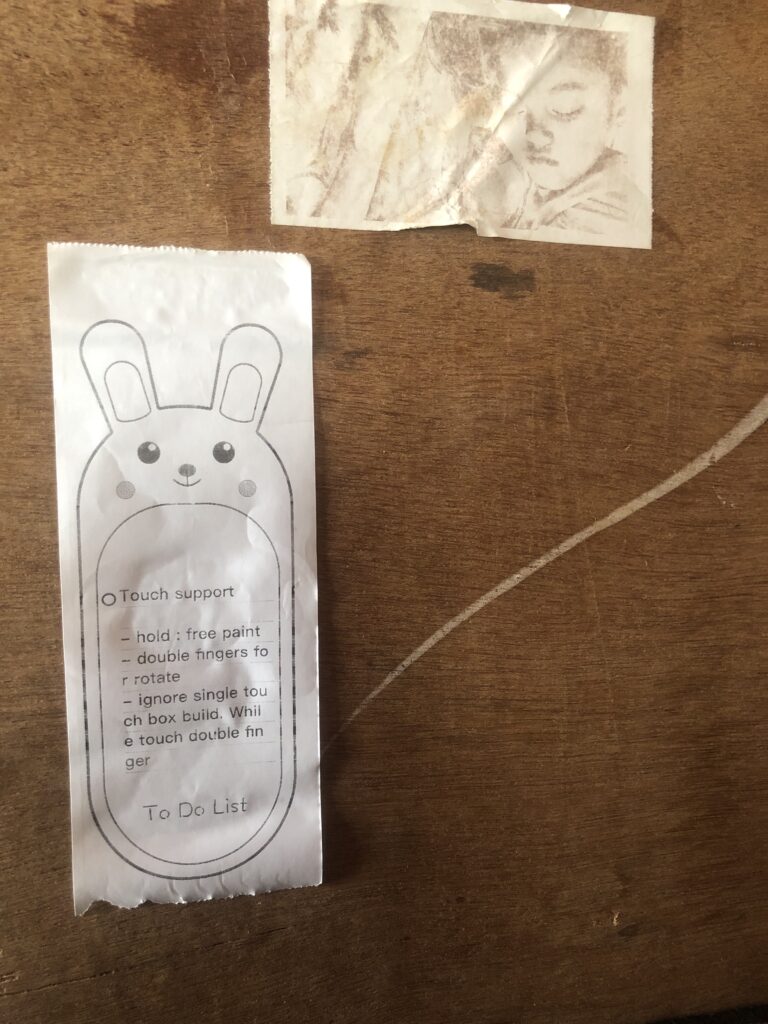
IMG

My 5-year-old is doing tiny jumps to play while I’m writing this draft.
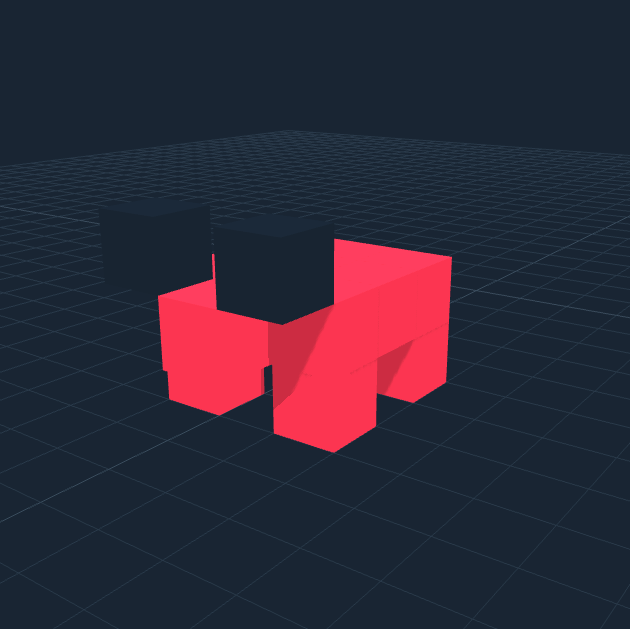
Categories
blog toy box

Toy Box

start again. 17:00

.glb support???

Categories
blog toy box

Toy box – touch

IMG

touch todo for next round.

Categories
blog officialstupid toy box

Toy Box

Animate

Why not add animated presets?

3:50 – 4:20 AM – Feb 23 2026 β€” crazy though.

Categories
blog officialstupid toy box

Toy Box – How to use?

basic tool

add block, delete, color and preview.

Hold Shift to quickly add, delete, or color a block.”

Note: The video plays at 2Γ— speed. If you want it slower, please change the speed to 0.5Γ—.

Floor, Preset and Preview Mode.

β€œHold C + Click” at any object, change camera angle to center, so easy to edit.

Preview Mode

Play & Game Mode

NOTE: double click any object(duck) to assign ‘ME’ player.

Categories
blog officialstupid toy box

Toy Box

more….. day 5 – not continued from 1 to 5 days, it’s just day 5.

The HTML/JS/CSS has been moved to WordPress –Β https://toy.dharan.city

Guest – build and play save local storage.

Login user – build and share url.

How to use?

Quick guide for dummies https://officialstupid.com/toy-box-how-to-use/

GOAL

Categories
blog threejs toy box

Toy Box

More hours. I really want to stop this madness, but it keeps wasting my time even though I have to finish a few updates. client.

Categories
blog toy box

Toy Box

Toy Box – better preview with editor + game mode.

A crazy new thought hit me hard yesterday. I’d started working on 3D separately after Toy Box, but now I’m back with Toy Box again 3rd time.

So, why not a ‘simple toy build + game engine’?

I’ve been tinkering and have gotten this far. I hope to add more in my free time, focusing on the UX for my daughter. I want any small child to be able to build a fun world where their creations can jump, run, fly, and more!

  • iPad β€” how to move? Currently using game with keyboard.
  • Need to remove lots of tools so less buttons, no confusion

more…..

New

  • drag and drop – Presets
  • Floor design – Grass, Asphalt
  • preview mode – ‘alt + left click with drag‘ to duplicate.
  • keyboard ‘del’ – delete any object.

Nice to know.

All of our floors need to behave like proper floor surfaces.

Even if the height difference is small, they currently act like solid blocks and prevent movement.

Objects and characters cannot move smoothly across them β€” they have to jump or run over them as if there is a large gap.

Google AI – To make the floors feel like actual walking surfaces rather than obstacles, we need to adjust the collision engine.

Grass

Three.js β†’ WebGL β†’ GLSL – https://green-grass-five.vercel.app

Categories
blog officialstupid threejs toy box

Toy Box

13 feb update

  • Block size: 1x – 8x. The new tool allows to add tiny blocks for precise design.
  • Delete: ‘Build’ button now acts like the ‘Delete’ block when you ‘right-click + space bar’ the mouse.
  • Undo: new button with keyboard support using ‘esc’ button.

Categories
blog threejs toy box

Toy Box

What the hell is this toy box?

Just adding new logic. I don’t know what I’m doing πŸ˜„

https://fun.dharan.city/toy-box/ (simple JS/HTML/CSS)

#three.js

base on: https://aistudio.google.com/apps/bundled/voxel_toy_box?showPreview=true&showAssistant=true

demo – https://www.youtube.com/watch?v=AiYuEIIn2ao

more toward mobile and her iPad base build tool. so no plan for PC drag, rotate for canvas.

8 feb 2026

  • fixing UI for more mobile friendly
  • better UX for color pallets
  • 20 presets
  • move
  • block = preset

9 feb 2026

  • more fine tunes color — new color shades
  • ‘BRUSH TOOL’ – color change of pre made blocks

Round 2

  • Web Audio
  • Auto-Save (local storage / Cookies / Cache)

Draft plan

  • ‘move preset’ button
  • block size 1x 2x
  • screenshot
  • recorded screen

Side note: I’m not a fan of r/git or r/github.